What it does
pwned-deps takes a lockfile (package-lock.json, requirements.txt, pom.xml, Cargo.lock, go.sum, Gemfile.lock, and friends) and tells you in seconds whether you've installed a package version that's publicly flagged as compromised — supply-chain malware, account hijacks, retroactively trojanised releases. Backed by OSV.dev plus a curated, source-cited campaign feed for incidents that are too fresh for upstream advisories.
Zero infrastructure
Single CLI. No server, no database, no API key. Works fully offline with bundled feed.
SLSA Level 3
Signed wheels with build provenance. OIDC publishing — no long-lived PyPI tokens.
Multi-ecosystem
Six lockfile formats out of the box. Adding a parser is ~80 lines.
CI-first
One-line GitHub Action, sticky PR-comment bot, pre-commit hook, GitLab snippet.
Try it in your browser
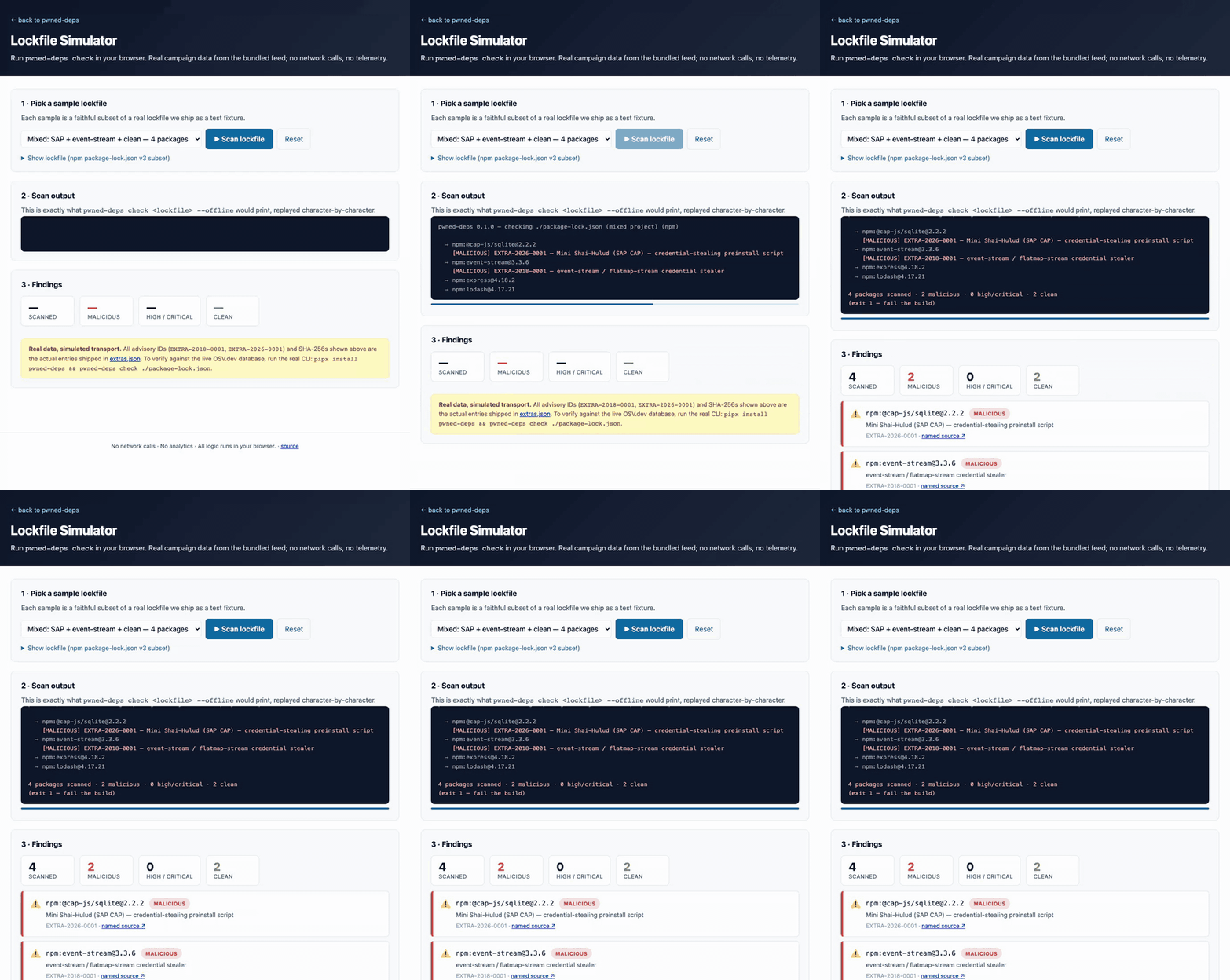
Run a faithful simulation of pwned-deps check against a sample lockfile — pick a real campaign, hit Scan, watch the output replay character-by-character, see the findings cards. All real data from the bundled campaign feed; no network calls.
Try the dashboard
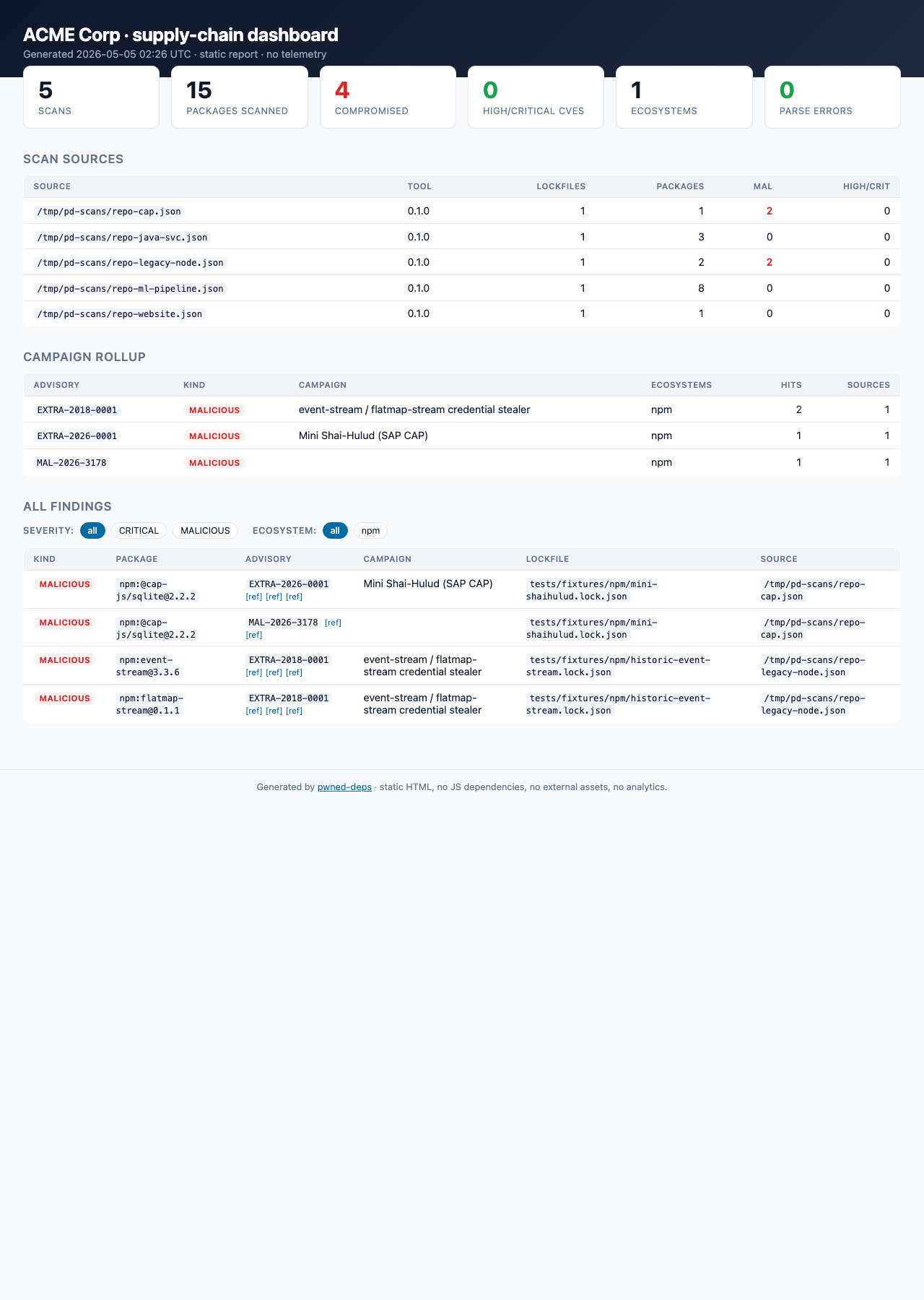
The pwned-deps report subcommand folds many CI scan artifacts into a single self-contained HTML page — KPIs, per-campaign rollup, filterable findings table. No JS framework, no telemetry, no server. Drop into S3 / GitHub Pages / open locally.
→ Open the live demo dashboard (5-repo "ACME Corp" sample)